
You completed a payment, expected the transaction to go through, and instead saw “Payment Failed.The situation becomes more confusing when your bank or UPI app shows that money has already been deducted.
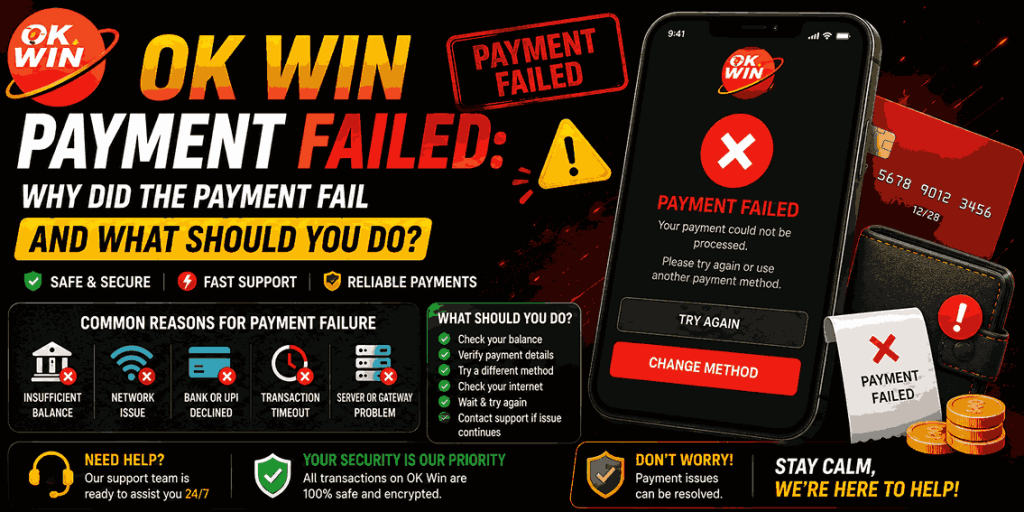
If you are dealing with an OK Win Payment Failed message, do not immediately make the same payment again.First determine the transaction status, check whether money was deducted or not, and keep the transaction ID handy.
This article is intended to help you learn how to handle failed transactions, which include UPI transactions, bank-side problems, transaction failure, and the most important one where money was deducted yet the transaction failed.
What Does an OK Win Payment Failed Message Mean?
An OK Win Payment Failed message means the payment transaction did not reach a completed status.There can be rejection of the payment even before money is released or the bank can hold or process the transaction for some time prior to updating the status.
Do not confuse the statuses:
- Failed: The transaction is not able to go through.
- Pending: The transaction is still processing.
- Success: The transaction has achieved a completed status.
- Rejected: The transaction is not accepted for processing.
What you should do next depends on what is the status of your transaction.
Which Problems Can Cause an OK Win Payment to Fail?
There is no single reason behind every OK Win Payment Failed transaction. Common causes can include:
- Insufficient available balance
- Incorrect payment information
- Incorrect UPI PIN
- Temporary bank-side problems
- Payment-provider technical issues
- Weak or interrupted internet connection
- Transaction or payment limits
- Temporary service unavailability
- An expired or interrupted payment session
Before trying again, check the message displayed by your bank or payment provider. It may give you a more specific reason than the platform’s general “payment failed” message.
Is Your Bank or UPI Service Rejecting the Payment?
Other times, it may not be your account that fails, but the payment service through which the transaction takes place.
For instance, a failure in a UPI payment may occur due to a temporary disruption in your bank account, issues with connectivity, wrong PIN, restriction on your account, or any other technical reason.
In case of a UPI payment, you should open your UPI app and verify the status of the transaction in the application rather than taking the transaction status from the message appearing on the payment page.
In case the status of the UPI transaction appears as failed, you should give some time to the payment service to update the status of the transaction and then try making a payment.
Could Incorrect Payment Details Lead to OK Win Payment Failed Transaction?
It could be possible that incorrect payment details lead to an OK Win Payment Failed transaction since the payment may require you to make the payment according to certain specific payment details.
Payment information can change, and using an outdated destination can create a completely different problem from a normal failed transaction.
Does a Low Account Balance Cause Payment Failure?
Yes, insufficient available balance can prevent a payment from being completed.
However, do not assume that a failed payment always means your balance was too low. Check your bank or UPI application for the actual transaction message.
Also remember that your available balance can differ from what you expect because of pending transactions, bank holds, or other account activity.
If the payment failed without any money being deducted, verify your balance and the payment details before attempting the transaction again.
What Should You Check Before Trying the Payment Again?
Before repeating an OK Win Payment Failed transaction, stop for a moment and check the original payment.
Use this quick check:
- Open your bank or UPI app.
- Find the transaction.
- Check whether it shows successful, OK Win Payment Failed, or failed.
- Confirm whether money was deducted.
- Note the transaction ID or reference number.
- Check the payment instructions again.
- Only then decide whether another attempt is necessary.
This matters because immediately repeating a transaction can potentially create a duplicate payment if the first transaction is still being processed.
What If Money Was Deducted but the Payment Shows as Failed?
This is the situation users should take most seriously.
If you see OK Win Payment Failed but money has already been deducted from your bank or UPI account, do not immediately pay again.
First check the transaction in your payment app.
There are three possibilities:
The bank shows “Failed”
Keep the transaction reference and wait for the payment system to process any reversal or refund according to its normal procedure.
The bank shows “Pending”
Do not create another payment yet. The original transaction may still be processing.
The bank shows “Successful”
Keep the transaction ID, payment confirmation, amount, and time. If the receiving balance has not updated, use the appropriate support channel to report the specific successful transaction.
The key point is to identify the status at the payment provider or bank level, not just the message shown on the website.
Can a Failed Payment Become Successful Later?
A transaction that initially appears unsuccessful can sometimes require additional processing before the final status is clear.
That is why you should check your bank or UPI transaction history before attempting another payment.
If your payment provider shows a successful transaction while the account balance has not updated, save the payment evidence instead of making another payment immediately.
For an OK Win Payment Failed issue, the payment provider’s transaction status is important evidence when investigating what happened.
Should You Make Another Payment After a Failed Transaction?
Not immediately.
First confirm that the original transaction genuinely failed and that no money was deducted or left in a pending state.
If the bank or UPI application confirms that the transaction failed and no amount was deducted, you can review the payment details and try again when appropriate.
If money was deducted, wait for the original transaction to reach a final status before creating another payment whenever possible.
This simple step can help prevent confusion between two separate transactions.
Could an App or Internet Problem Cause the Payment to Fail?
Yes. A payment session can be interrupted by poor connectivity, an outdated app, browser problems, or a temporary technical issue.
If you normally use the ok win app, make sure it is updated and loading correctly. You can also check your internet connection and reopen the payment page.
However, do not repeatedly refresh or resubmit a payment while the original transaction is still being processed.
If you use the browser, make sure you are accessing the correct account through the normal ok win login process.
What If Every Payment Attempt Keeps Failing?
Repeated failures are a sign that you should stop retrying blindly.
If an OK Win Payment Failed message appears every time, check the following:
- Is your bank account working normally?
- Is the UPI service processing other transactions?
- Is your available balance sufficient?
- Are you entering the correct payment information?
- Is there an error message from the bank?
- Is the payment option currently available?
- Is your app or browser working correctly?
If the same problem continues after these checks, keep the latest transaction reference and report the issue through the appropriate support channel.
Where Can You Find the Failed Payment Transaction Details?
Your transaction history or bank/UPI application should contain information about the payment.
Look for:
- Transaction ID
- UTR or reference number
- Payment amount
- Date and time
- Payment status
- Bank or payment-provider message
These details are much more useful than simply saying “my payment failed.”
If you are reporting an OK Win Payment Failed issue, provide the exact transaction information so the relevant team can identify the payment.
How Long Should You Wait Before Trying the Payment Again?
There is no universal waiting period for every payment method.
If the transaction is marked pending, wait until the payment provider gives it a final status. If it is clearly marked failed and no money was deducted, you can review the details and retry when appropriate.
If money was deducted, do not base your decision only on the website’s failed message. Check the bank or UPI transaction status first.
This avoids the common mistake of paying twice because the first transaction appeared unsuccessful.
What Information Should You Save After a Payment Failure?
When dealing with an OK Win Payment Failed transaction, save the evidence before closing the payment screen.
Keep:
- Transaction ID or UTR
- Amount
- Date and time
- Payment method
- Bank/UPI status
- Screenshot of the transaction
- Any error message
Never share your password, OTP, UPI PIN, card PIN, or banking credentials with anyone who says they can solve the payment issue.
A transaction ID is helpful to investigate, but your security credentials should not be required by support.
When Should You Get in Touch With Support Regarding Your Payment Failure?
Get in touch with support if you are unable to solve the problem through regular payment procedure, such as when money gets deducted but the balance is not updated or the payment is not recorded even though you have paid.
Before contacting support, prepare the transaction information.
A useful report should include:
Amount + date/time + payment method + transaction reference + current status + relevant screenshot
This gives support a specific transaction to investigate instead of a general complaint.
Final Takeaway:
The OK Win Payment Failed message is only a part of the whole story alone. The most critical thing to consider is: what does your bank or the UPI app say about the transaction? If no money has been deducted, and the transaction did not go through, analyze and redo the transaction where necessary.
If there has been a deduction in the account, it would be wise to check into the original transaction first before making another payment. Find out if the original transaction is pending or has been successful.
Frequently Asked Questions
Why did my payment fail even though I had enough balance?
A sufficient balance does not guarantee a successful transaction. Bank issues, incorrect details, UPI problems, payment limits, connectivity, or temporary technical errors can also cause failure.
What should I do if money was deducted after a failed payment?
Do not immediately make another payment. Check your bank or UPI transaction status, save the reference number, and wait for the original transaction to reach a final status. If the balance does not resolve, report the specific transaction.
Can I try another payment method after a failed transaction?
You can consider another available method after confirming that the previous transaction genuinely failed and no money remains in a pending or successful state. Avoid switching methods while the original payment is unresolved.
Why does my UPI payment keep failing?
Possible causes include incorrect PIN, bank-side issues, connectivity problems, temporary UPI service problems, transaction limits, or account restrictions. Check the message shown by your UPI app for the most useful clue.
Is a failed payment the same as a pending payment?
No. A failed payment indicates that the transaction did not complete, while a pending payment means the transaction has not yet reached a final status.
How long does a failed payment refund take?
The timing depends on the bank, payment provider, and transaction status. Do not assume one fixed timeframe applies to every failed payment. Keep the transaction reference if a reversal or refund is expected